kitaslot777 Casino & Sportsbook Mobile App
Mobile traffic to sportsbooks and live-dealer platforms in Indonesia has outpaced desktop usage for the past two years, which is why we at kitaslot777 built our application to work on any device without a required app store download. Whether you access kitaslot777 through Android, iOS, or a standard web browser, the experience adapts to your screen size and network speed. Live blackjack, roulette, baccarat, and Dragon Tiger studios stream at quality levels that adjust to your connection, so you can stay engaged even on slower networks.

- Installin
- and
- DownloadAPK
We recognise that deposit and withdrawal methods matter most to users across Jakarta, Surabaya, and other regions in Indonesia. Our mobile interface prioritises your payment flow—DANA, e-wallet, mobile banking, local payment, online payment, e-wallet, and direct bank transfer (mobile banking, local payment, online payment, e-wallet) are all equally accessible whether you open kitaslot777 on your phone's home screen or in a browser. The same account, balance, and transaction history follow you from one device to another without delay.
Our mobile app is built as a progressive web app (PWA), meaning it combines the speed and offline capability of a native app with the simplicity of a website. No app store submission delays. No version updates that force a wait. You save kitaslot777 to your phone once and access it the same way you would any installed app, while we handle improvements on our servers. This approach keeps installation simple and lets you focus on Liga 1 fixtures, live casino tables, and esports markets like Mobile Legends and Free Fire.
How to Install and Start
- Open kitaslot777 in your browser: Visit kitaslot777.app on Android, iOS, or desktop.
- Save to your home screen: Tap the menu (three dots or share icon), then select "Add to home screen" or "Install app".
- Create your account: Enter your username, password, and email, then confirm your phone number.
- Make your first deposit: Select a payment method—DANA, e-wallet, mobile banking, or bank transfer—and confirm the transaction in your banking app or e-wallet.
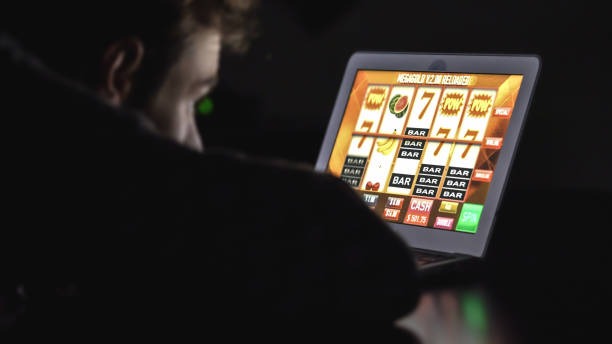
App vs. Browser on kitaslot777
Our mobile app and browser version share the same account and balance, but the app offers a few practical advantages. The app caches your recent game history and payment methods locally, so navigation feels faster on repeat visits. Push notifications alert you to live events—when a Liga 1 match starts, when your preferred live-dealer table opens, or when a withdrawal completes. The browser version works identically for most tasks and requires no installation; choose whichever suits your workflow. Both receive the same security updates and payment processor connections, so neither is more secure than the other.
Device Compatibility on kitaslot777
We support Android 7.0 and later, iOS 12.0 and later, and modern browsers on desktop (Chrome, Firefox, Safari, Edge from the past three years). If your device is older, check your system settings for available updates before trying to install kitaslot777. Tablets display the full interface with additional screen space for live-dealer tables and sportsbook odds. Our platform detects your device type automatically and adjusts the layout, so you see what matters most on your screen size.
Troubleshooting Common Install Issues
If you see a warning about "Unknown sources" on Android, this appears when installing from your browser rather than the Google Play Store. This is normal for our PWA approach—tap "Install anyway" or check your phone's security settings to permit installation from browser. On iOS, the browser installation process is different: open kitaslot777 in Safari, tap the share icon, scroll to "Add to Home Screen", and confirm. If the app icon does not appear, clear your browser cache (Settings > Safari > Clear History and Website Data) and try again. If the app crashes after install, force-close it (swipe up from the home screen on iOS, or long-press the icon and "Force Stop" on Android) and reopen it.
Data, Permissions, and Your kitaslot777 Account
We at kitaslot777 request minimal permissions: camera access (for account verification selfies), storage access (to cache game data offline), and internet access (to connect to our servers). Your credentials—username, password, and payment details—never leave our encrypted connection; we do not store your bank card numbers or e-wallet credentials on your device. Each login session is tied to your device; logging out from one phone does not log you out on another, but your balance and bets are shared across all devices using your account. Contact our support team through the in-app help menu if you suspect unauthorized access to your kitaslot777 account.

Why kitaslot777 Built a Mobile-First Platform
Three years ago, most sportsbooks and casino sites treated their mobile experience as a secondary view of the desktop site. At kitaslot777, we reversed that priority: we designed the app first, then adapted it to larger screens. This means live-dealer streams load fast, payment confirmation flows take fewer taps, and your bet slip displays clearly whether you are on a 5-inch phone or a 15-inch laptop. Our sportsbook covers Liga 1, Piala AFF, and international tournaments (Champions League, Premier League, MotoGP) with the same depth on mobile as on desktop. Slots (Aviator, Sweet Bonanza, Gates of Olympus, Fortune Tiger) and esports markets (Mobile Legends, Free Fire, PUBG Mobile, Valorant) are equally accessible from any device.
We also built kitaslot777 to handle intermittent connectivity. If your network drops while you are viewing a live table or reviewing a withdrawal, the app buffers what it can and picks up when you reconnect. You will not lose your session or your unsaved bets. This matters when you are commuting through Jakarta or accessing kitaslot777 from areas with variable signal strength.
Your kitaslot777 account works anywhere
Save kitaslot777 to your home screen once, and your account, balance, and payment methods follow you to any device. No separate login, no syncing delays.
Getting the Most from Your kitaslot777 Mobile Experience
After you install kitaslot777, a few settings help you get the most from the platform. In your account preferences, enable push notifications so you receive alerts about live events and account activity (withdrawals completing, bonus credits arriving). Adjust your video quality in the live-dealer settings if you are on a slow connection—lower bitrates reduce buffering. Your payment methods are stored in the cashier section; you can add local payment, online payment, e-wallet, mobile banking, local payment, online payment, or a bank account (e-wallet, mobile banking, local payment, online payment) and save it for faster future deposits. Each withdrawal goes to your most recently used method unless you choose a different one.
Services on kitaslot777 are available only where local law permits. Users are responsible for verifying that access and use comply with their own jurisdiction.